IDPL, Rishikesh | Shyampur, Rishikesh, Uttarakhand +91-7500679066, 7455857367 cgtirishikesh@gmail.com Mon – Sat: 9:00 AM – 7:00 PM
Teacher Training & Computer Education

Computer Teacher Training Course (CTTC)

Become a confident, professional computer teacher — master computer fundamentals, MS Office, programming basics and modern teaching methods — taught entirely in-person at our Rishikesh campus with real classroom teaching practice.

Created by CGTI Faculty & the Teacher Training Team
Bestseller 100% Offline Classroom Certificate Included
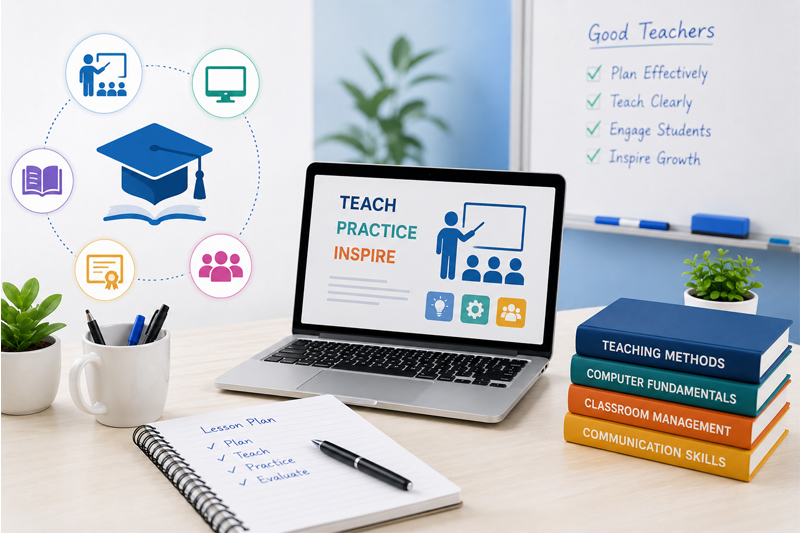
Computer Teacher Training (CTTC) course thumbnail

What You'll Learn

  • Master computer fundamentals, Windows OS & hardware basics to teach with confidence
  • Teach MS Word, Excel & PowerPoint, Internet & Email effectively to students
  • Build a foundation in HTML & CSS, C, C++ and Python programming
  • Understand database fundamentals and Tally Prime with GST basics
  • Apply digital teaching methods, educational technology & AI tools for teaching
  • Plan lessons and manage a classroom & computer lab professionally
  • Deliver confident presentations and communicate effectively as an instructor
  • Gain real classroom teaching experience through guided teaching practice

Course Description

This 12-month, offline, instructor-led Computer Teacher Training Course (CTTC) prepares you to become a confident, professional computer teacher — covering computer fundamentals, MS Office, programming basics (C, C++, Python), databases, Tally Prime with GST, and modern teaching methodology. Every session is conducted in person at our Rishikesh campus in small batches, so our trainers can guide you individually and make sure you genuinely understand each concept before moving on.

By the end of the course, you'll have hands-on practical training and real classroom teaching experience, backed by a certificate and interview preparation, ready to start a career as a Computer Teacher, Computer Instructor, Lab Trainer, IT Trainer or School Computer Faculty.

Course Content

12 modules • 46 classroom sessions • 12 months • Offline batches only

  • Computer FundamentalsSession 1
  • Windows Operating SystemSession 2
  • Computer Hardware BasicsSession 3
  • Internet & EmailSession 4
  • Module AssessmentSession 5

  • MS WordSession 1
  • MS ExcelSession 2
  • MS PowerPointSession 3
  • Practical: Office Documents & Presentation ProjectSession 4
  • Module AssessmentSession 5

  • HTML & CSS BasicsSession 1
  • Practical: Simple Web Page ProjectSession 2
  • Module AssessmentSession 3

  • C ProgrammingSession 1
  • Practical: C Programming Mini ProjectSession 2
  • Module AssessmentSession 3

  • C++ ProgrammingSession 1
  • Practical: C++ Mini ProjectSession 2
  • Module AssessmentSession 3

  • Python BasicsSession 1
  • Database FundamentalsSession 2
  • Practical: Python & Database Mini ProjectSession 3
  • Module AssessmentSession 4

  • Tally Prime with GST (Basics)Session 1
  • Practical: Basic Accounting Entries in TallySession 2
  • Module AssessmentSession 3

  • Digital Teaching MethodsSession 1
  • Educational TechnologySession 2
  • AI Tools for TeachingSession 3
  • Practical: Digital Lesson DesignSession 4
  • Module AssessmentSession 5

  • Classroom ManagementSession 1
  • Lesson PlanningSession 2
  • Practical: Lesson Plan PreparationSession 3
  • Module AssessmentSession 4

  • Presentation SkillsSession 1
  • Communication SkillsSession 2
  • Practical: Mock Teaching PresentationSession 3
  • Module AssessmentSession 4

  • Practical Lab ManagementSession 1
  • Teaching PracticeSession 2
  • Practical: Supervised Classroom Teaching SessionSession 3
  • Module AssessmentSession 4

  • Interview PreparationSession 1
  • Practical: Final Teaching PracticumSession 2
  • Final Presentation & CertificationSession 3

Requirements

  • Basic computer knowledge (typing and internet browsing)
  • No prior teaching or programming experience required — we start from the basics
  • A notebook and willingness to practice between sessions
  • Minimum qualification: 12th pass or above (graduation preferred)

Who This Course Is For

  • Students and graduates who want to become a Computer Teacher, Computer Instructor or Lab Trainer
  • Working professionals looking to become an IT Trainer or School Computer Faculty
  • Anyone who wants to combine computer skills with teaching & classroom management skills
  • Anyone who prefers learning in person over online video courses
This Course Includes
  • 100% Offline Classroom Sessions
  • Duration: 12 Months
  • Level: Beginner to Advanced
  • Hands-On Practical Training
  • Classroom Teaching Practice
  • Certificate of Completion
  • Interview Preparation
  • Study Material Included
  • Available at Both Branches
  • Small Batch, Personal Attention
Affordable Fees
Book Free Demo Class
Call / WhatsApp: 7500679066
Get Involved

Ready To Start Your Computer Career?

Join Computer Guru Training Institute and gain practical, job-ready computer skills with expert guidance.

Expert Trainers
Live Projects
Flexible Timings
Certified Courses