IDPL, Rishikesh | Shyampur, Rishikesh, Uttarakhand +91-7500679066, 7455857367 cgtirishikesh@gmail.com Mon – Sat: 9:00 AM – 7:00 PM
Computer Application & Accounting

Advanced Diploma in Computer Application (ADCA)

Master computer fundamentals, MS Office, Google Workspace, business accounting and GST-compliant billing in TallyPrime — taught entirely in-person at our Rishikesh campus, with live practical projects and one-on-one mentorship.

Created by CGTI Faculty & the Computer Application & Accounts Team
Bestseller 100% Offline Classroom Certificate Included
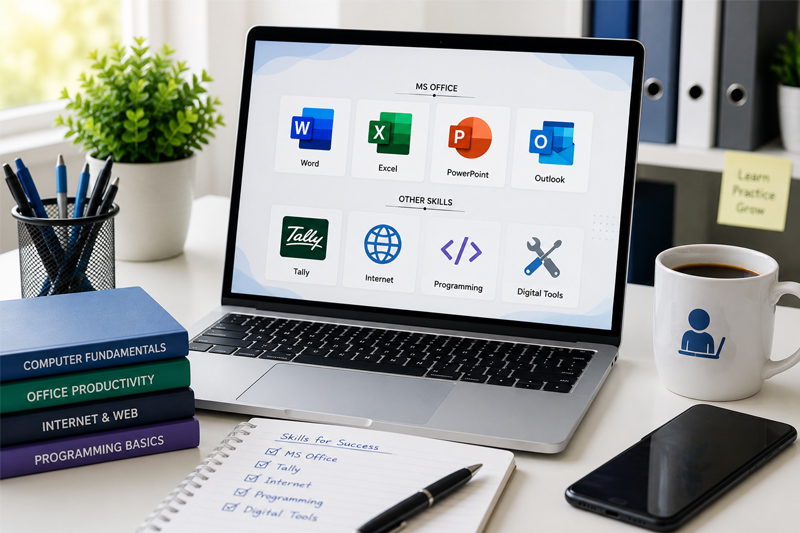
Advanced Diploma in Computer Application (ADCA) course thumbnail

What You'll Learn

  • Operate Windows confidently — file management, control panel & system tools
  • Work professionally in MS Word, Excel, PowerPoint, Access & Outlook
  • Use Google Workspace, browsers & online meeting tools for daily office work
  • Understand core accounting principles, terminology & the golden rules
  • Set up and manage companies, ledgers & vouchers in TallyPrime
  • Manage inventory, purchase, sales & payroll entries in TallyPrime
  • Record GST-compliant billing, e-invoicing & TDS/TCS entries
  • Generate financial statements, MIS & GST reports for real businesses

Course Description

This 12-month, offline, instructor-led Advanced Diploma in Computer Application (ADCA) course takes you from the fundamentals of computer operation to complete, practical mastery of office productivity tools, business accounting and GST-compliant billing in TallyPrime. Every session is conducted in person at our Rishikesh campus in small batches, so our trainers can guide you individually, review your work, and make sure you genuinely understand each concept before moving on.

By the end of the course, you'll be able to confidently operate a computer, work professionally across MS Office and Google Workspace, and independently manage a business's day-to-day accounting, inventory, payroll and GST filing in TallyPrime — backed by a certificate and real practical project experience, not just theory.

Course Content

12 modules • 110 classroom sessions • 12 months • Offline batches only

  • Windows 10/11 OverviewSession 1
  • File ExplorerSession 2
  • Control PanelSession 3
  • SettingsSession 4
  • Command Prompt (CMD)Session 5
  • PowerShellSession 6
  • Task ManagerSession 7
  • Module AssessmentSession 8

  • MS WordSession 1
  • MS ExcelSession 2
  • MS PowerPointSession 3
  • MS AccessSession 4
  • MS OutlookSession 5
  • Module AssessmentSession 6

  • Google DocsSession 1
  • Google SheetsSession 2
  • Google SlidesSession 3
  • Google FormsSession 4
  • Google DriveSession 5
  • GmailSession 6
  • Google ChromeSession 7
  • Microsoft EdgeSession 8
  • Mozilla FirefoxSession 9
  • ZoomSession 10
  • Google MeetSession 11
  • Microsoft TeamsSession 12
  • Module AssessmentSession 13

  • Introduction to AccountingSession 1
  • Fundamentals of AccountingSession 2
  • Types of Business OrganizationsSession 3
  • Accounting PrinciplesSession 4
  • Golden Rules of AccountingSession 5
  • Accounting TerminologySession 6
  • Module AssessmentSession 7

  • Introduction to TallyPrimeSession 1
  • Features of TallyPrimeSession 2
  • Installation of TallyPrimeSession 3
  • System RequirementsSession 4
  • Company CreationSession 5
  • Company AlterationSession 6
  • Company Selection and ShutdownSession 7
  • Company FeaturesSession 8
  • Gateway of TallySession 9
  • Module AssessmentSession 10

  • Chart of AccountsSession 1
  • GroupsSession 2
  • LedgersSession 3
  • Voucher TypesSession 4
  • Accounting VouchersSession 5
  • Inventory VouchersSession 6
  • Cost CentresSession 7
  • Cost CategoriesSession 8
  • Journal EntriesSession 9
  • Module AssessmentSession 10

  • Inventory ManagementSession 1
  • Stock GroupsSession 2
  • Stock CategoriesSession 3
  • Stock ItemsSession 4
  • Units of MeasurementSession 5
  • GodownsSession 6
  • Batch ManagementSession 7
  • Order ProcessingSession 8
  • Purchase ManagementSession 9
  • Sales ManagementSession 10
  • Debit NoteSession 11
  • Credit NoteSession 12
  • Module AssessmentSession 13

  • Banking in TallyPrimeSession 1
  • Bank ReconciliationSession 2
  • Cheque PrintingSession 3
  • Payroll ManagementSession 4
  • Employee ManagementSession 5
  • Salary ProcessingSession 6
  • Module AssessmentSession 7

  • GST IntroductionSession 1
  • GST RegistrationSession 2
  • GSTIN StructureSession 3
  • Types of GST (CGST, SGST, IGST)Session 4
  • GST Configuration in TallyPrimeSession 5
  • GST MastersSession 6
  • GST Purchase EntriesSession 7
  • GST Sales EntriesSession 8
  • E-InvoicingSession 9
  • TDS and TCS BasicsSession 10
  • Module AssessmentSession 11

  • Budget ManagementSession 1
  • Scenario ManagementSession 2
  • Interest CalculationSession 3
  • Multi-CurrencySession 4
  • Security ControlSession 5
  • User ManagementSession 6
  • Data Backup and RestoreSession 7
  • Import and Export of DataSession 8
  • Printing InvoicesSession 9
  • Module AssessmentSession 10

  • Financial StatementsSession 1
  • Trial BalanceSession 2
  • Profit & Loss AccountSession 3
  • Balance SheetSession 4
  • Cash Flow StatementSession 5
  • Fund Flow StatementSession 6
  • Ratio AnalysisSession 7
  • GST ReportsSession 8
  • Business ReportsSession 9
  • Data SynchronizationSession 10
  • Module AssessmentSession 11

  • Practical Accounting ProjectsSession 1
  • Case StudiesSession 2
  • Final ProjectSession 3
  • Final Presentation & CertificationSession 4

Requirements

  • Basic literacy and willingness to learn (no computer experience required)
  • No prior computer or accounting experience required — we start from the basics
  • A notebook and willingness to practice between sessions
  • Minimum qualification: 10th pass or above

Who This Course Is For

  • Students who want strong computer, office & accounting skills for any job
  • Graduates and job seekers preparing for office administration, data entry or accounts roles
  • Small business owners who want to manage their own billing, GST and accounts
  • Anyone who prefers learning in person over online video courses
This Course Includes
  • 100% Offline Classroom Sessions
  • Duration: 12 Months
  • Level: Beginner to Advanced
  • Live Practical Project Work Included
  • Certificate of Completion
  • Study Material Included
  • Available at Both Branches
  • Small Batch, Personal Attention
Affordable Fees
Book Free Demo Class
Call / WhatsApp: 7500679066
Get Involved

Ready To Start Your Computer Career?

Join Computer Guru Training Institute and gain practical, job-ready computer skills with expert guidance.

Expert Trainers
Live Projects
Flexible Timings
Certified Courses