IDPL, Rishikesh | Shyampur, Rishikesh, Uttarakhand +91-7500679066, 7455857367 cgtirishikesh@gmail.com Mon – Sat: 9:00 AM – 7:00 PM
Certificate Course & Computer Application

Certificate in Computer Application (CCA)

Build essential computer knowledge and office productivity skills — from Windows & MS Office to Google Workspace, typing, digital office tools and Tally Prime — taught entirely in-person at our Rishikesh campus.

Created by CGTI Faculty & the Computer Application Team
Bestseller 100% Offline Classroom Certificate Included
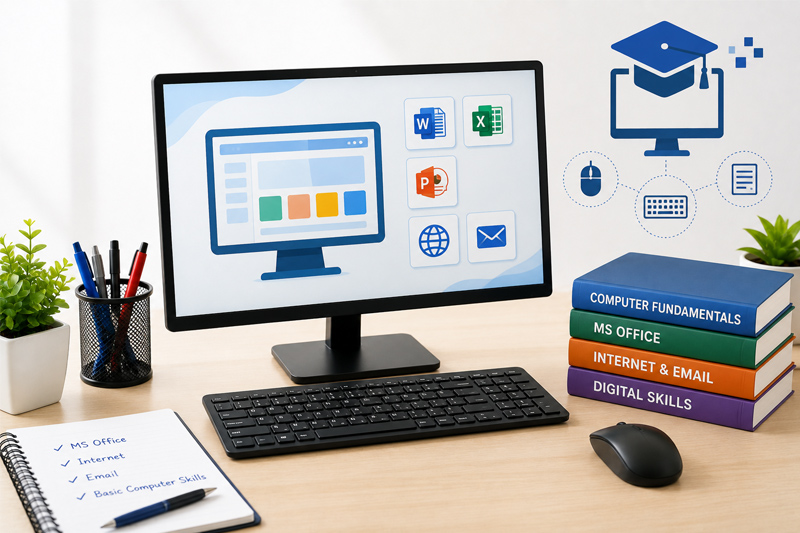
Certificate in Computer Application (CCA) course thumbnail

What You'll Learn

  • Master computer fundamentals, Windows OS & file management
  • Browse the internet safely and manage email professionally
  • Create documents, spreadsheets & presentations in MS Word, Excel & PowerPoint
  • Manage basic databases with MS Access and collaborate using Google Docs, Sheets & Slides
  • Build fast, accurate English typing skills for office work
  • Handle printing, scanning, PDF tools & everyday digital office tasks
  • Stay safe online with cyber security basics and use online banking & digital payments confidently
  • Use AI productivity tools, troubleshoot common computer issues, and get started with Tally Prime

Course Description

This 6-month, offline, instructor-led Certificate in Computer Application (CCA) course builds essential computer knowledge and office productivity skills from the ground up — covering Windows, MS Office, Google Workspace, typing, digital office tools and an introduction to Tally Prime. Every session is conducted in person at our Rishikesh campus in small batches, so our trainers can guide you individually and make sure you genuinely understand each concept before moving on.

By the end of the course, you'll have completed practical assignments and mini projects to build real-world computer skills, backed by a certificate and interview preparation, making you job-ready as a student, job seeker or office assistant with a strong foundation in computer applications.

Course Content

6 modules • 30 classroom sessions • 6 months • Offline batches only

  • Computer FundamentalsSession 1
  • Windows Operating SystemSession 2
  • Internet & EmailSession 3
  • File ManagementSession 4
  • Module AssessmentSession 5

  • MS WordSession 1
  • MS ExcelSession 2
  • Practical: Document & Spreadsheet Mini ProjectSession 3
  • Module AssessmentSession 4

  • MS PowerPointSession 1
  • MS Access (Basics)Session 2
  • Practical: Presentation & Database Mini ProjectSession 3
  • Module AssessmentSession 4

  • Google DocsSession 1
  • Google SheetsSession 2
  • Google SlidesSession 3
  • Typing Skills (English)Session 4
  • Module AssessmentSession 5

  • Printing & ScanningSession 1
  • Cyber Security BasicsSession 2
  • Online Banking & Digital PaymentsSession 3
  • PDF ToolsSession 4
  • AI Productivity ToolsSession 5
  • Practical: Digital Office WorkflowSession 6
  • Module AssessmentSession 7

  • Basic Computer TroubleshootingSession 1
  • Introduction to Tally PrimeSession 2
  • Interview PreparationSession 3
  • Practical: Final Mini ProjectSession 4
  • Final Presentation & CertificationSession 5

Requirements

  • Basic literacy and willingness to learn (no computer experience required)
  • No prior computer experience required — we start from the basics
  • A notebook and willingness to practice between sessions
  • Minimum qualification: 10th pass or above

Who This Course Is For

  • Students who want to build a strong foundation in computer applications
  • Job seekers and office assistants looking for essential office productivity skills
  • Beginners with no prior computer experience
  • Anyone who prefers learning in person over online video courses
This Course Includes
  • 100% Offline Classroom Sessions
  • Duration: 6 Months
  • Level: Beginner Friendly
  • Hands-On Practical Training
  • Certificate of Completion
  • Interview Preparation
  • Study Material Included
  • Available at Both Branches
  • Small Batch, Personal Attention
Affordable Fees
Book Free Demo Class
Call / WhatsApp: 7500679066
Get Involved

Ready To Start Your Computer Career?

Join Computer Guru Training Institute and gain practical, job-ready computer skills with expert guidance.

Expert Trainers
Live Projects
Flexible Timings
Certified Courses